Controlled intervention
Prioritise the message without losing the screen context.
Screen Takeover puts a prepared priority message on selected QSR screens or managed groups through a controlled intervention flow.
UK QSR / Screen Takeover
Dhruv Screen Takeover provides a first-of-its-kind, controlled two-step flow for priority QSR messages: import the long video, then select the screen group and layout while Dhruv automatically slices and synchronises the output across the wall.
The QSR content flow
A deep-dive page grounded in confirmed public capability.
The page distinguishes current features from capability that would need separate confirmation before publication.
What this page covers
Controlled intervention
Screen Takeover puts a prepared priority message on selected QSR screens or managed groups through a controlled intervention flow.
Wall-scale formats
Screen Takeover supports 5,760 × 1,080, 9,600 × 1,080, and 19,200 × 2,160 canvases for wide and 4K display-wall contexts.
Automatic wall distribution
Import the long video, then select the screen group and pictorial 2–5 screen layout. Dhruv analyses compatibility, slices the source, and distributes a fully synchronised output before the chosen playout begins.
QSR service pace
For QSR teams, the controlled flow helps make a priority service message visible when a scheduled playlist is no longer the right response.
What makes the flow different
Dhruv connects the input, approved content, decision, and screen destination in one visible flow rather than presenting a generic display page.
Screen Takeover is not merely another playlist. It is a separate, controlled flow for immediate intervention where priority and scope are explicit.
Prepared content, screen grouping, and the approval flow remain visible before the message reaches the estate.
Use controlled content, screen grouping, and the approval flow to make priority messages visible when a scheduled playlist is no longer the right response.
Screen context
The screen context, module, and destination remain part of one operational publishing flow.
Priority message / weather update
Use a prepared priority message when the service flow needs to be clearer than the scheduled playlist.
Illustrative Screen Takeover content / safe message area
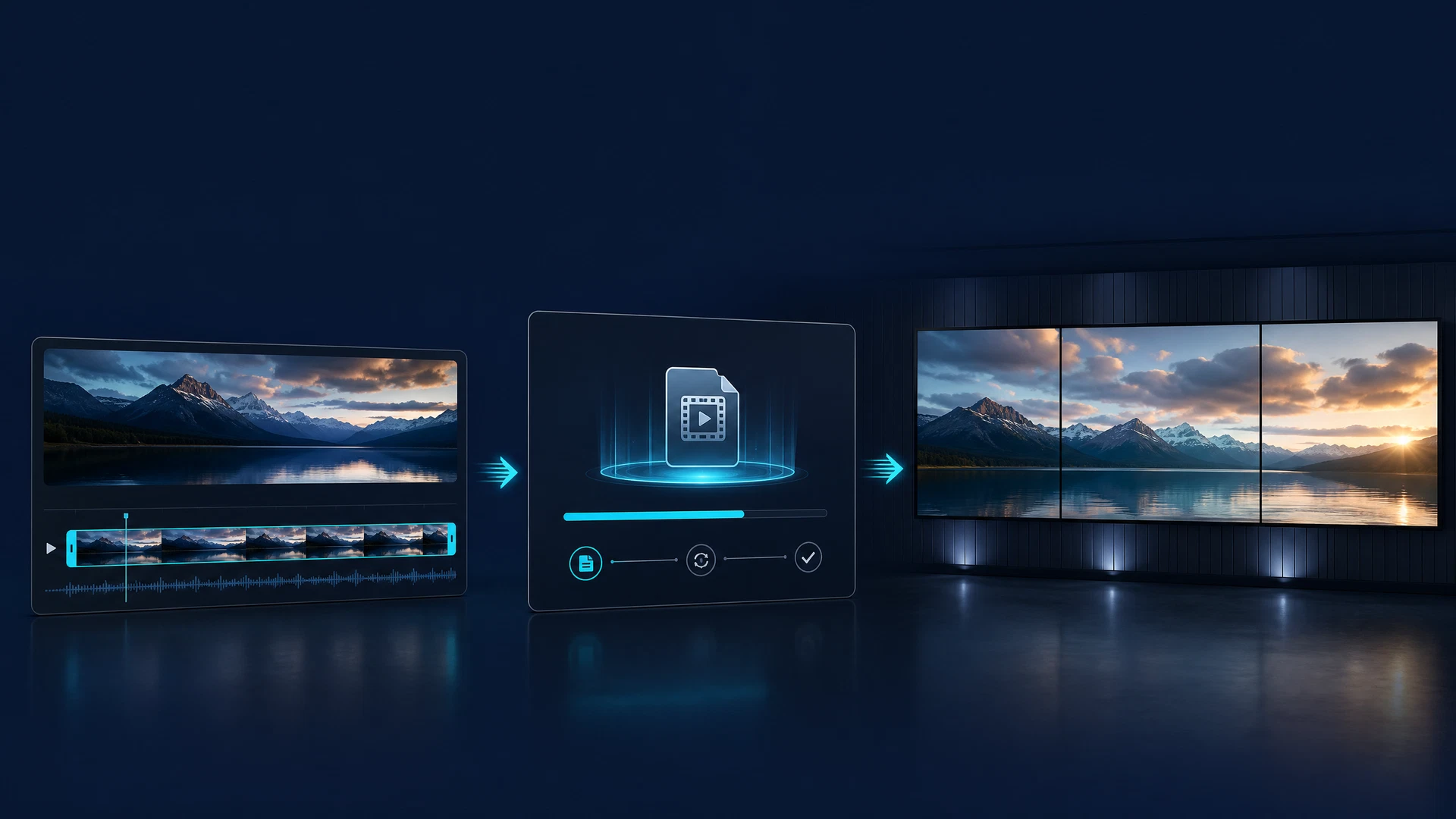
Bring in the long video
Import the long-form source once, then move directly to the selected screen group and pictorial wall layout. Dhruv checks the compatible flow before it prepares the synchronised output.
Step 1 / Import
A single long video becomes the source for the approved Screen Takeover flow—without requiring a separate manually prepared file for every screen.
Illustrative campaign execution
This illustrative festival campaign shows how a single long-form creative can be prepared for a Screen Takeover estate, from a campaign master through to ultra-wide and 4K wall variants.
Illustrative only
The event, offers, QR codes, product names, people, and brand marks visible inside this supplied creative are illustrative. Dhruv makes no claim of a live event, commercial offer, brand partnership, or affiliation.

Prepared output
A corrected, approved visual master is required before public playback is added.
Prepared output
A corrected, approved visual master is required before public playback is added.
Prepared output
A corrected, approved visual master is required before public playback is added.
Direct answers
It is a first-of-its-kind Dhruv module for controlled, immediate intervention on selected screens or managed screen groups.
Screen Takeover supports 5,760 × 1,080, 9,600 × 1,080, and 19,200 × 2,160 canvases, including 4K display-wall contexts.
The two-step flow imports the long video, then lets a team select the screen group and pictorial 2–5 screen layout. Dhruv analyses compatibility, slices the source, and distributes fully synchronised output; immediate or timed playout is selected within that final step.
Yes. The QSR flow supports priority service and menu messages when the correct response is to intervene rather than wait for scheduled content.
Dhruv QSR
Map the QSR content flow around the service moment.